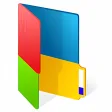
Having dozens of folders helps you categorize files in a better way, but it also makes it more difficult to find what you're exactly looking for, since they all look the same.
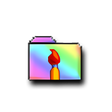
The best solution then is to give each folder a different color with iColorFolder. This simple tool also includes a few skins to change the folder's appearance, but I strongly recommend you to download the extra skin package available from the author's website.
After installing the program, folders will be automatically updated with the new skin selected by default, but you can change it afterwards and select a new color simply by right clicking on any folder you want to customize. And if you grow tired of so many colors there's also the possibility to go back to standard yellow folders.
iColorFolder is an easy, fun way to customize your icons and organize files in a more efficient way.
With iColorFolder you can easily give some color to WindowsXP folders. With just a right-click, colorize your folders, and discover a new intuitive way to classify your files. A quick view is now enough to identify the folder you are looking for!
You can now classify your folders by Family. Red is an Important folder, Orange is Urgent, Green is Family... Choose the attributions that you like, so you'll never delete an important folder by error.
iColorFolder is a very light soft, that doesn't stay in memory. It uses a native functionality of Windows XP to be more efficient. Discover it's simplicity: with a single right-click on a folder you colorize it ; the necessary and only the necessary.
iColorFolder is bundled with three apparences: the default apparence of Windows XP folders, a Mac OS X skin and a Snow.E2 skin. You can find other skins on the Web or even easily create one yourself.
Laws concerning the use of this software vary from country to country. We do not encourage or condone the use of this program if it is in violation of these laws. Softonic may receive a referral fee if you click or buy any of the products featured here.